KanvasKit — Website Showcase Generator
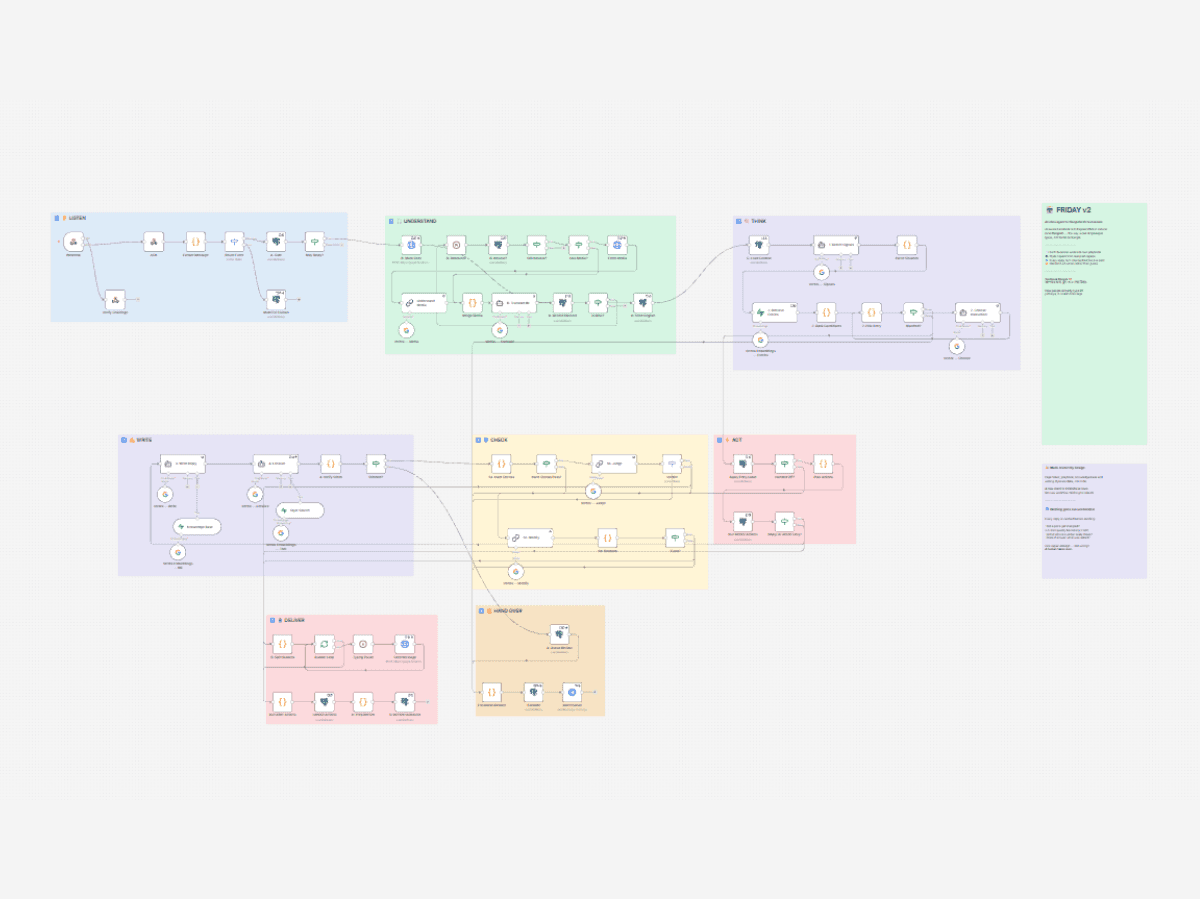
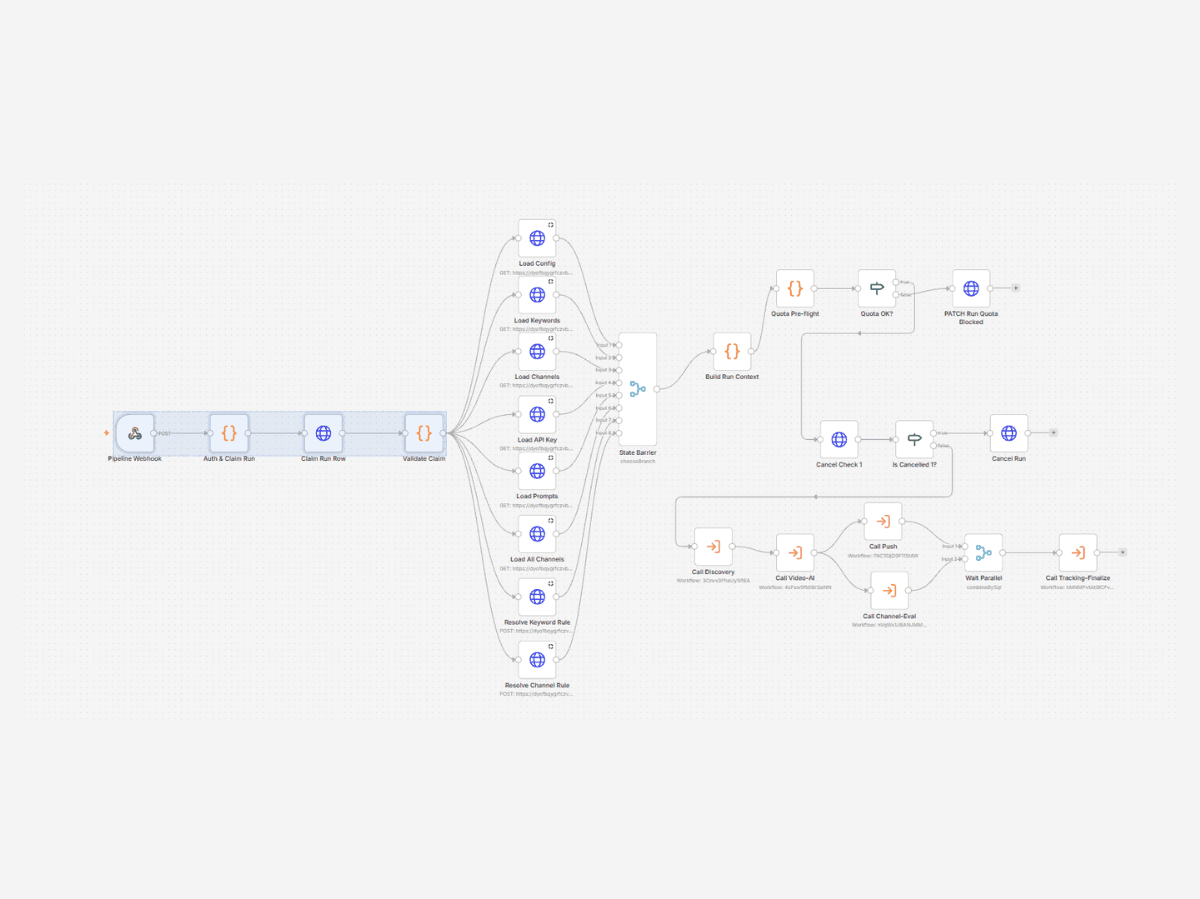
Paste two URLs, get back a composited social image: both pages captured, framed as shadowed panels and laid out at a postable ratio. An n8n workflow does the work; a browser studio does the same job offline.
2
URLs in, one image out
~35s
End to end
1
Geometry engine, two renderers
0
Manual cropping
The problem
Showing a website in a portfolio or a social post means screenshotting it, cropping it, arranging two views side by side and framing the result. It is ten minutes of fiddling per image, and doing it by hand means no two ever match.
- Full-page captures are the wrong shape for social — far too tall to post without cropping.
- Two panels have to share a bottom edge or the pair looks accidental.
- Corner radius, shadow and margin drift every time it is done by hand.
What I built
KanvasKit takes two URLs, captures both pages, and composites them into a single image: two rounded panels with layered shadows on a coloured canvas, sharing a bottom edge and capped at a 4:5 ratio so it posts without cropping. There are two ways in — an n8n workflow for the hosted path, and a browser studio that does the whole job locally with no upload and no quota.
Before and after
Before
- Screenshot, crop, arrange, export — by hand
- Roughly ten minutes per image
- No two mockups quite alike
After
- Paste two URLs
- About thirty seconds, unattended
- Identical framing every time
Business impact
A repetitive design chore became a parameter change.
- Every mockup shares the same geometry, so a set of them reads as one system.
- The browser studio runs entirely on-device — no upload, no screenshot quota, no rate limit.
- The layout is a pure function, so the same options always produce the same image.
Timeline & role
Client
Internal Product
How it works
- 1
A shared geometry module resolves the layout — panel widths from the split ratio, heights from the captures, canvas height from the panels, all capped at a postable aspect ratio.
- 2
The n8n workflow owns the hosted pipeline: it takes the two URLs, drives the screenshot API, paces and retries the calls, and hands back the finished PNG.
- 3
A Next.js route composites uploaded captures with sharp, applying the rounded corners and layered shadows server-side.
- 4
The browser studio renders the same geometry twice — once as CSS for the live preview, once onto a canvas for the PNG export.
- 5
A thin API route proxies the public demo to the workflow, keeping the webhook URL server-side and rate limiting a metered quota.
Key decisions
One geometry module, two renderers
The studio draws with Canvas and the API composites with sharp. Neither owns the maths — both import it — so a change to the layout cannot make the preview and the export disagree.
The demo calls the workflow rather than reimplementing it
A second code path to the same output would mean a demo that keeps working while the workflow silently breaks. Routing through it means one path and one failure mode.
The studio runs entirely in the browser
Screenshot APIs are metered. Anyone who already has their captures should not spend quota, wait on a network round trip, or upload their work to composite two images.
Height follows content, capped at 4:5
A fixed canvas pads short pairs with dead space and squashes tall ones. Deriving height from the captures and capping the ratio keeps every output postable without a manual crop.
Challenges & failure modes
Preview and export drifting apart
They render through completely different technologies — CSS and Canvas — so any hard-coded number would eventually diverge. Both now read from the same module, and the shadow spec is shared too.
Vercel's request body limit
Two captures plus fields can exceed the ~4.5 MB serverless cap, which fails at the platform edge with a 413 the handler never sees. Uploads are capped below it so a clear error can still be returned.
A public demo against a metered quota
Per-IP rate limiting, private-network targets rejected, and the webhook URL kept server-side. In-memory and per-instance, so it is a speed bump rather than a guarantee — sized for casual hammering, not a determined abuser.
Panels that looked pasted on
A single shadow reads as flat. Three passes at increasing blur and offset give contact and ambient falloff, which is what makes a panel look lifted.
Tech stack
Want to see it running?
I demonstrate the full workflow live on Google Meet — the canvas, the logic, and the system handling real input. Happy to answer anything the write-up didn't cover.
I don't share workflow JSON. These are custom builds and the architecture is the work.